MFA Security
Awareness Poster
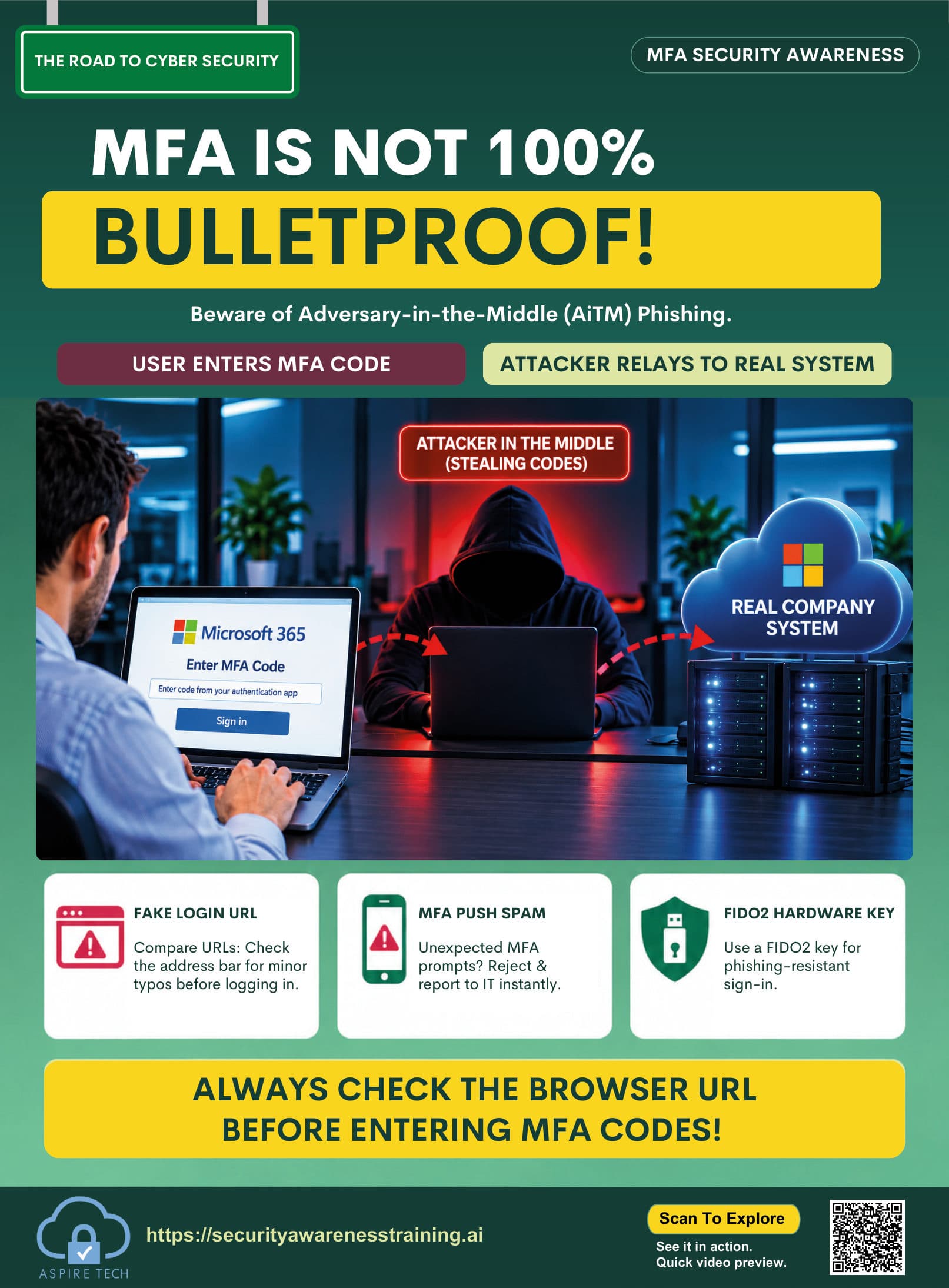
Help your team strengthen login security with multi-factor authentication. Encourage everyone to approve sign-ins carefully and reduce the risk of account compromise.
Resource details
- Resource type
- Poster
- Theme
- Protect everyday access
- Format
- Visual reminder
- Best for
- Team discussions / awareness boards
- Audience
- All employees
- File format
- High-resolution PDF, 14 × 19 in
- Language
- English (additional languages available in toolkit)
How to use
- 1Display in your workplace
Share on noticeboards, in meeting rooms or digital channels.
- 2Discuss with your team
Use it as a starting point for a short team discussion about MFA and login security.
- 3Reinforce regularly
Include in ongoing awareness campaigns and training sessions.
Watch a short video explaining why MFA matters and how it helps keep your accounts and data safe.
Preview coming soon.
Why MFA matters
Learn how multi-factor authentication stops attackers, protects your accounts and keeps your personal and work information safe.
- Real examples of account takeover attempts
- How MFA blocks attackers
- Simple steps to enable MFA everywhere
- Practical tips for safer sign-ins
Key learning points
Remember these key actions to protect yourself and your organisation with multi-factor authentication.
Enable MFA everywhere
Turn on multi-factor authentication for all work and personal accounts that offer it.
Deny unexpected prompts
Never approve a sign-in request if you weren’t trying to log in, even if it looks familiar.
Secure recovery methods
Keep your recovery email, phone number and backup codes up to date and protected.
Report suspicious sign-in activity
If you receive unexpected sign-in prompts or notice unusual activity, report it to your IT or security team immediately.
Get the complete cybersecurity toolkit
Access posters, videos, guides and training resources to build a stronger, more secure team.