AI Phishing
Awareness Poster
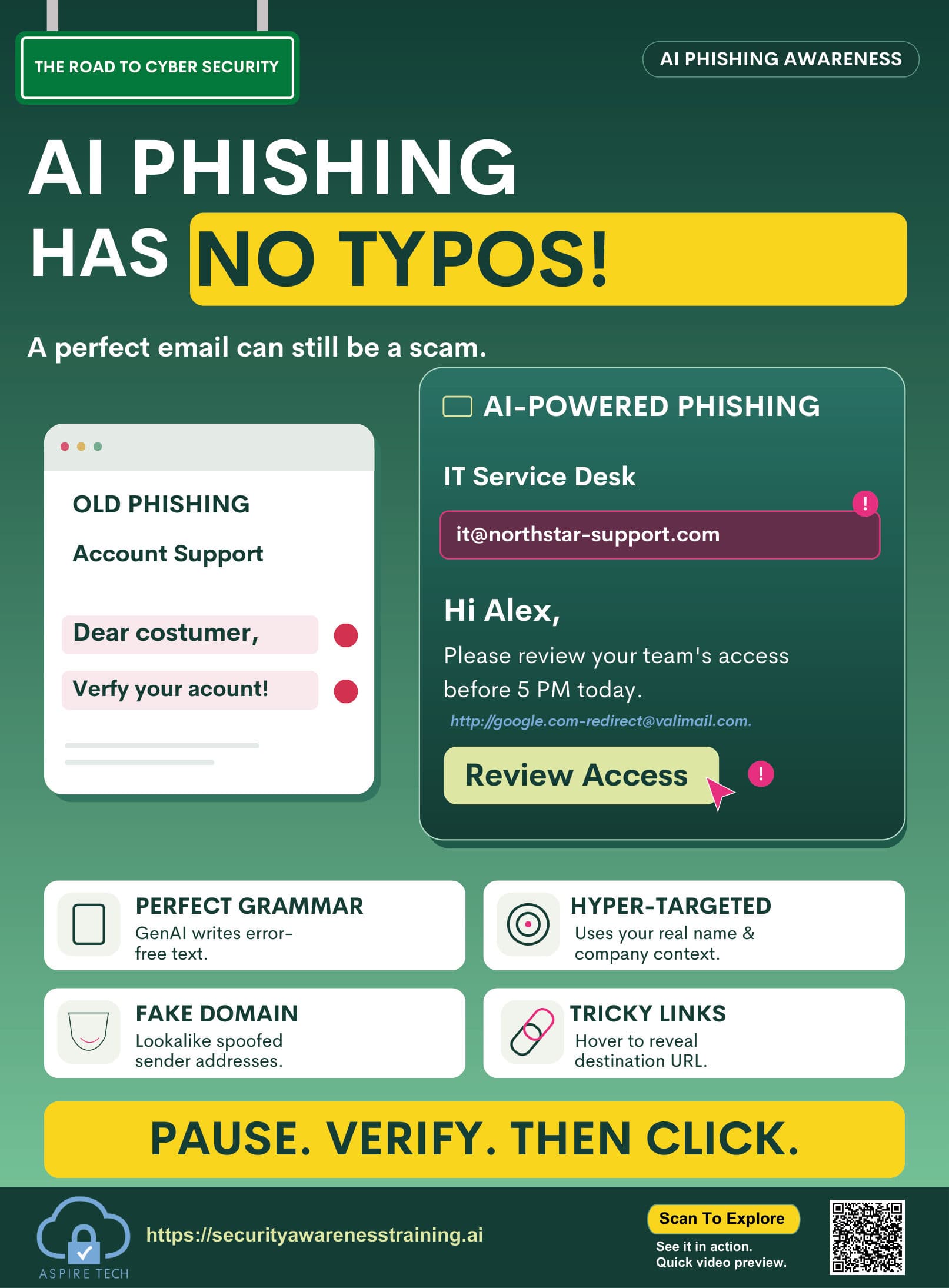
A perfect email can still be a scam. Help your team pause, check the sender, and verify the link before they click.
Resource details
- Resource type
- Poster
- Theme
- Recognize the request
- Format
- Visual reminder
- Best for
- Team discussions / awareness boards
- Audience
- All employees
- File format
- High-resolution PDF, 14 × 19 in
- Language
- English (additional languages available in toolkit)
How to use
- 1Display in your workplace
Share on noticeboards, in meeting rooms or digital channels.
- 2Discuss with your team
Use it as a starting point for a short team discussion about AI-written phishing and how to check a message before clicking.
- 3Reinforce regularly
Include in ongoing awareness campaigns and training sessions.
Watch a short video explaining how to recognize AI-written phishing and verify unexpected messages.
AI phishing verification
Learn how polished scam emails use real names, lookalike domains, and disguised links, and the checks to make before you click.
- Why a perfect message can still be a scam
- Sender, domain, and link checks
- What to do with an unexpected request
Key learning points
Remember these key actions to protect yourself and your organisation from AI-written phishing.
Do not trust perfect grammar
Generated messages can be free of typos. Judge the request, not the writing.
Check the sender domain
Look closely at the address. A familiar name can hide a lookalike domain.
Hover before you click
Reveal the real destination of a link before you open it.
Verify unexpected requests
Confirm access, payment, or account requests through a channel you already trust.
Get the complete cybersecurity toolkit
Access posters, videos, guides and training resources to build a stronger, more secure team.